
Outages are reported by customers
Without monitoring, the IT team is the last to know. Every minute spent finding out is a minute added to the repair.
Unified IT monitoring
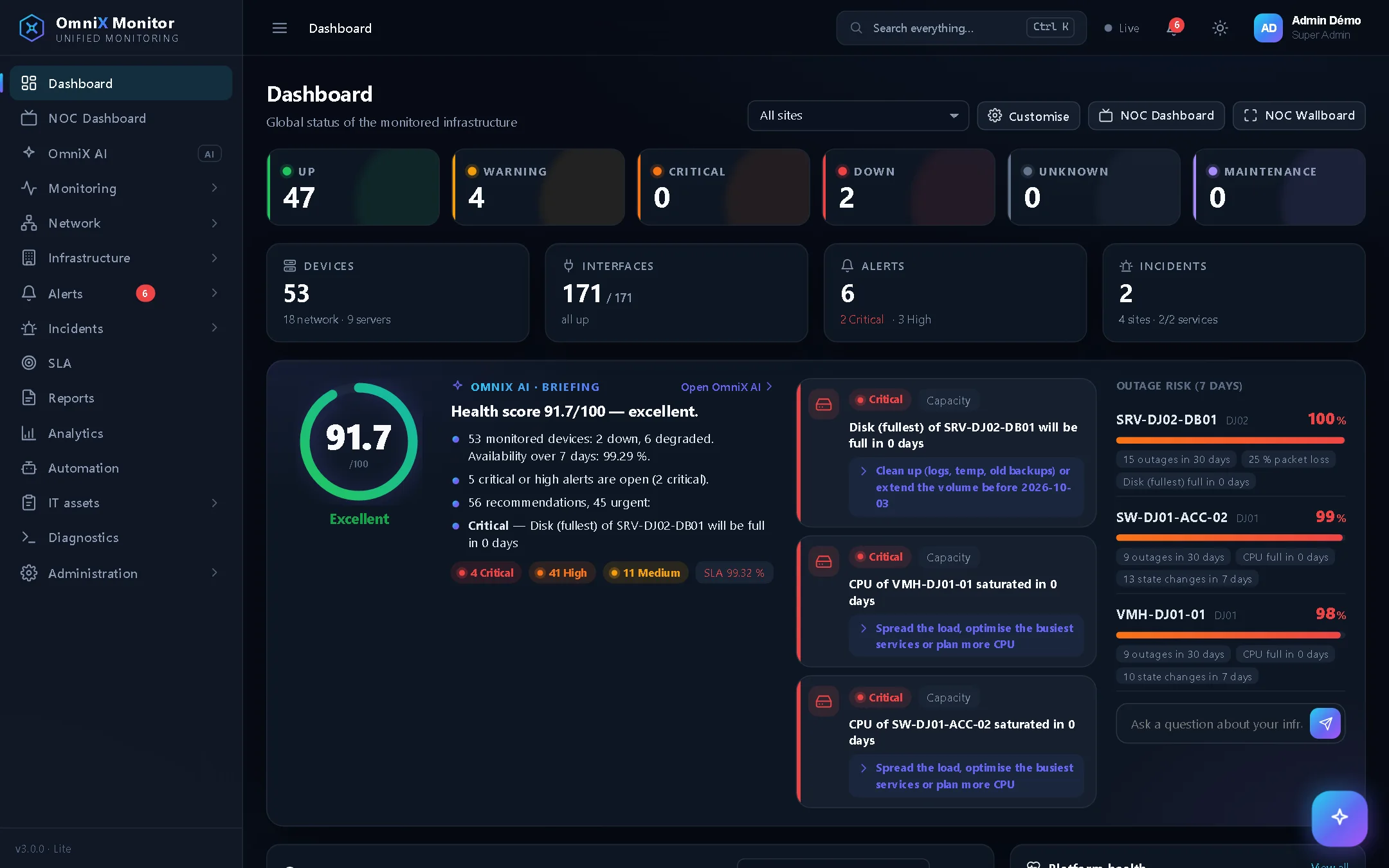
OmniX Monitor continuously watches your network, servers, applications and data centers. As soon as an outage is confirmed, the right person gets an SMS, even at night, even when the Internet is down.
What's at stake
Every minute of downtime found too late is paid for in lost revenue, unhappy customers and damaged reputation. Most organisations share the same blind spots.
Without monitoring, the IT team is the last to know. Every minute spent finding out is a minute added to the repair.
One tool per device, hundreds of ignored emails. When a real outage happens, it drowns in the noise and nobody is sure who is on call.
What is our real availability? Which devices are about to fail? What budget should we plan? Without reliable figures, it is hard to decide and to justify.
SMS alerts
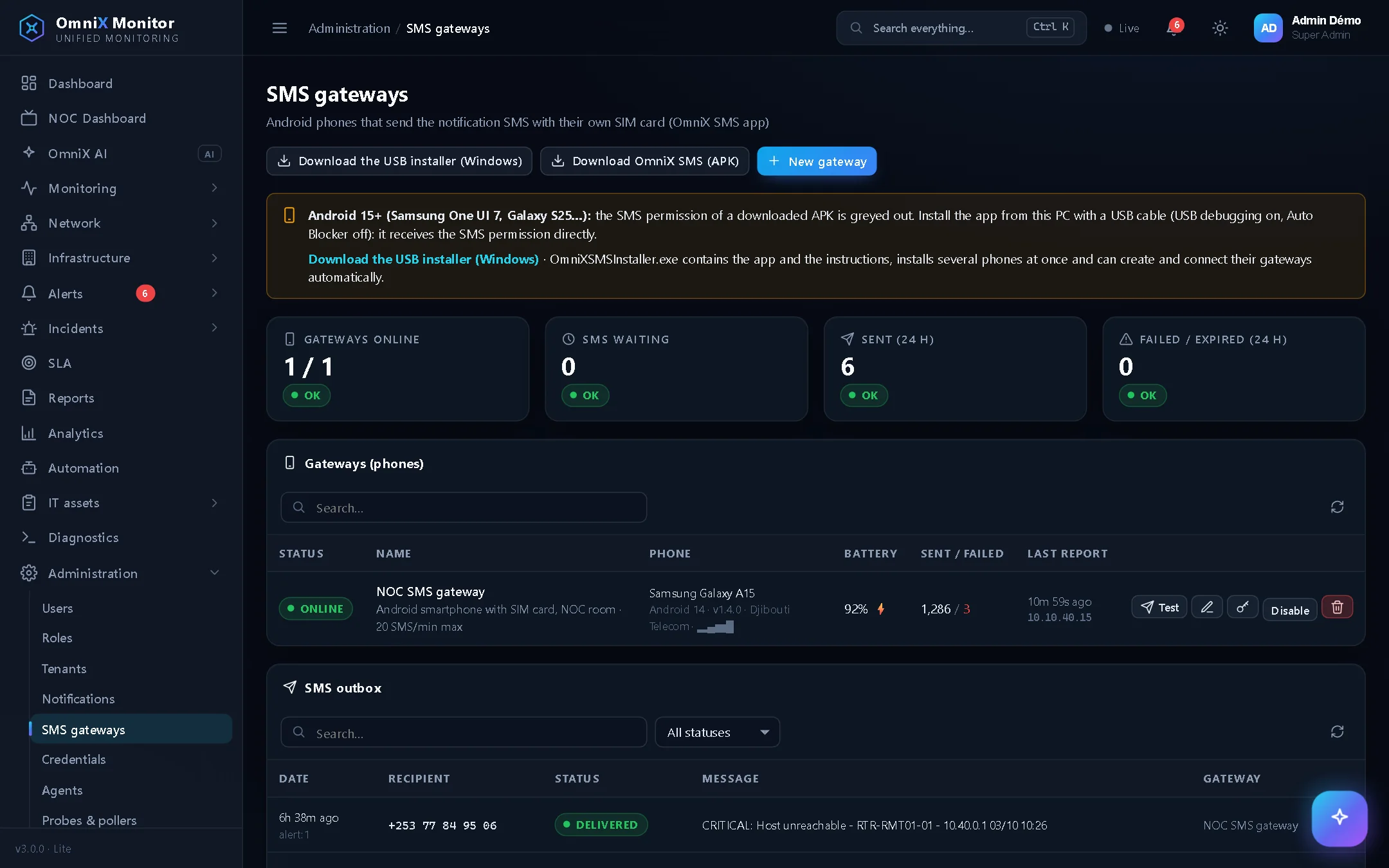
An Internet outage, an overloaded mail server or a frozen app must not stop the alert. With OmniX, a confirmed outage becomes a short, clear SMS sent to the person who has to act.
An Android smartphone and a local SIM card are all you need. The OmniX SMS app sends alerts at your mobile plan's rate, with no aggregator contract and no per-message fee charged by a third party. SMS travel over the mobile network: they are sent even if your Internet access is down.
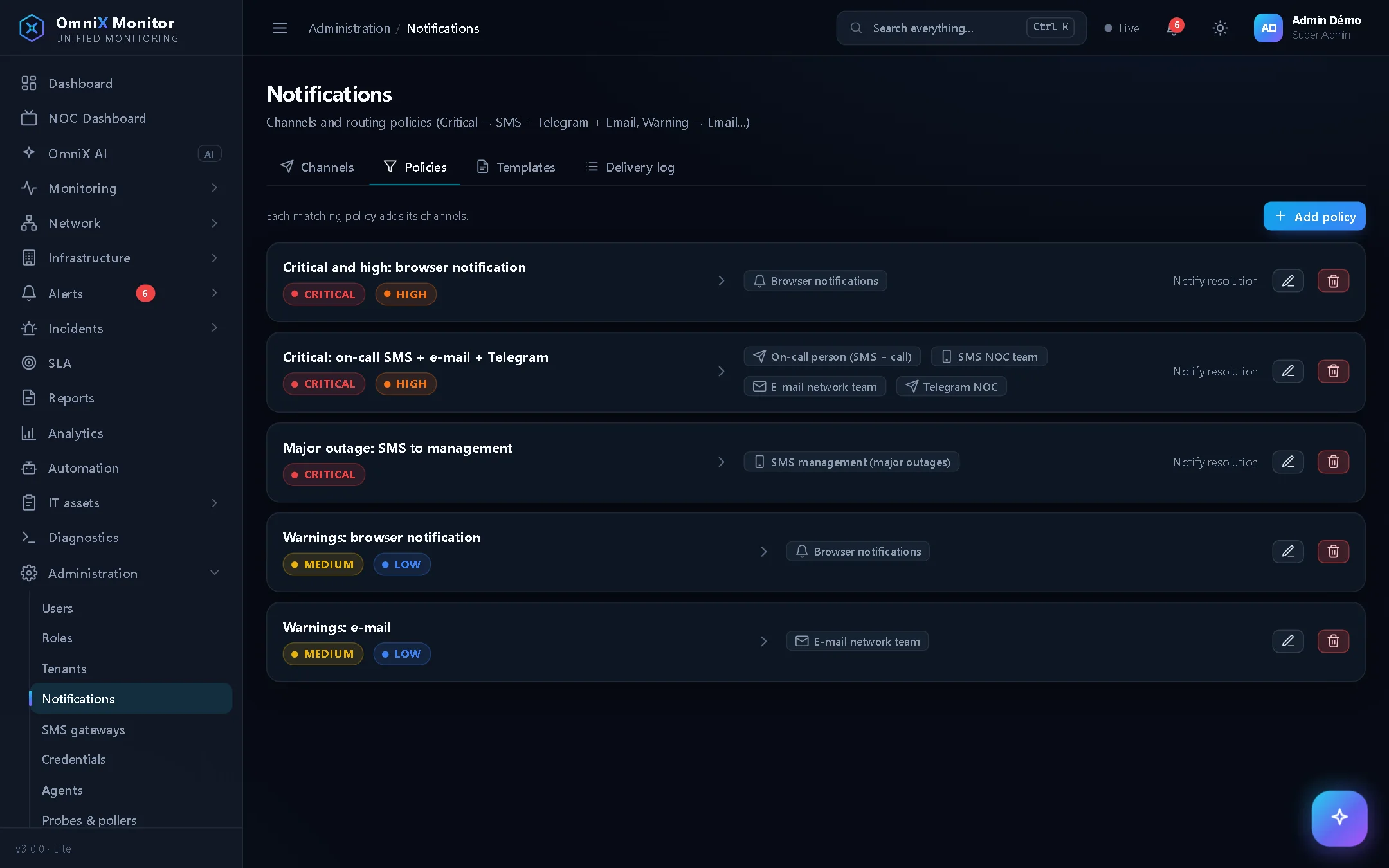
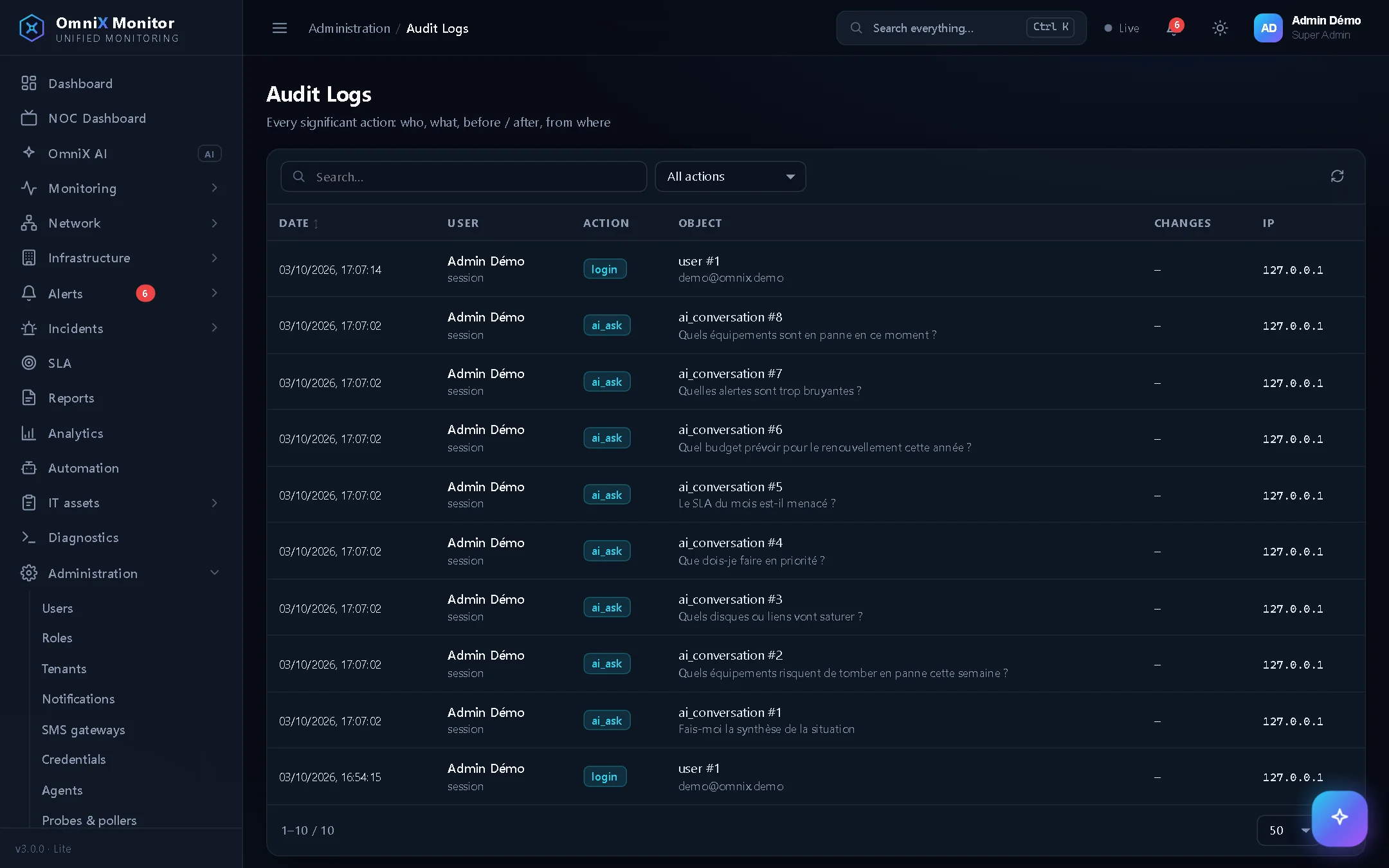
The on-call schedule knows who is on duty this week: that person gets the SMS, with an optional voice call. Major outages can also be sent to management. Each team only receives what concerns it.
Until the alert is acknowledged, reminders are sent. If it is still not acknowledged, escalation automatically notifies the next level. When it is resolved, a closing SMS is sent with the duration of the outage.
Correlation finds the root cause: when a router goes down, you get one alert for the router, not fifty for the devices behind it. Messages are short, readable at a glance, and their templates can be edited.
On top of SMS, use the channels your teams already have:
Who it's for
Everyone finds the answers they need, with permissions suited to their role.
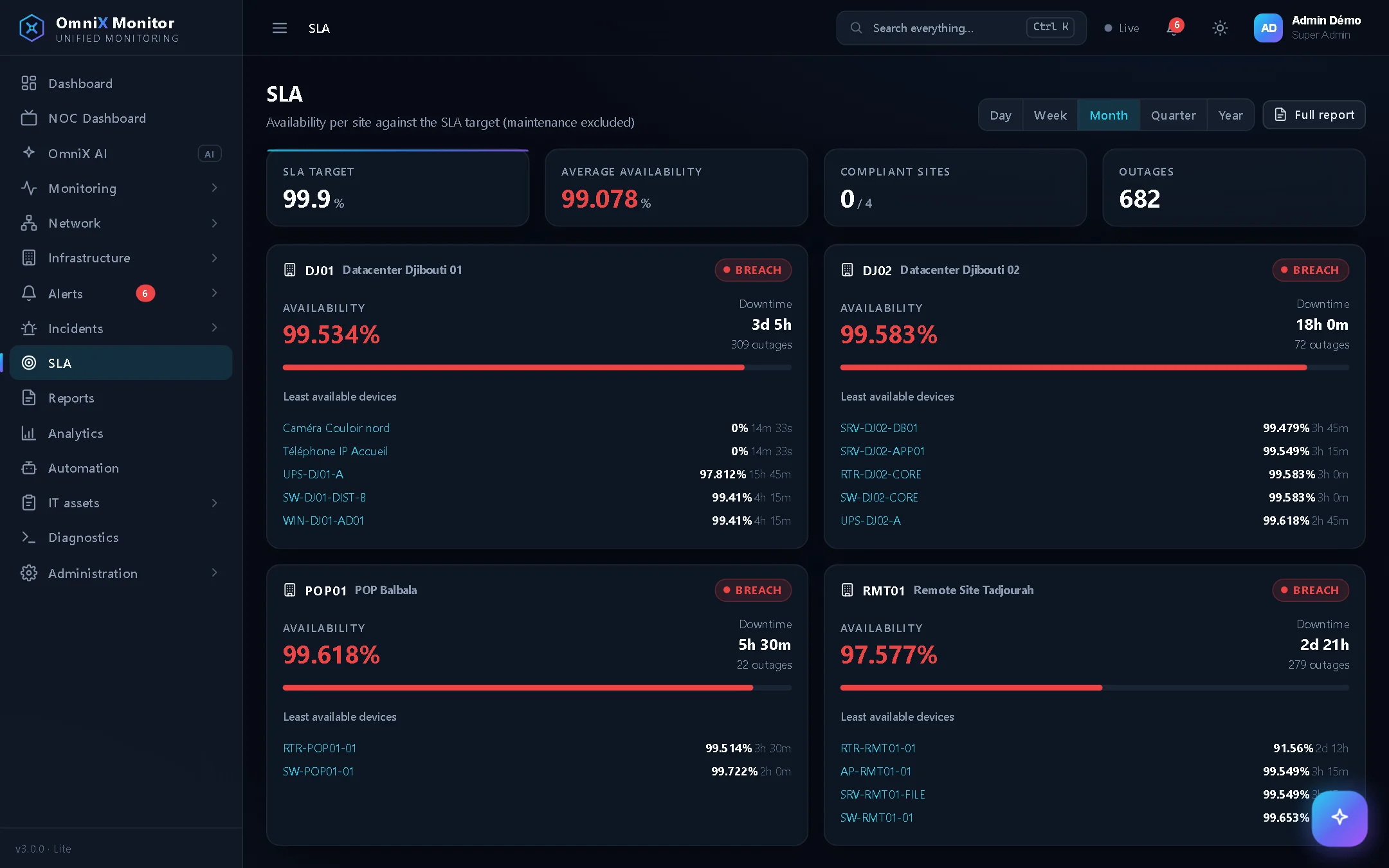
The result: fewer interruptions, found sooner, fixed faster, and hard figures proving the quality of service delivered.
OmniX AI
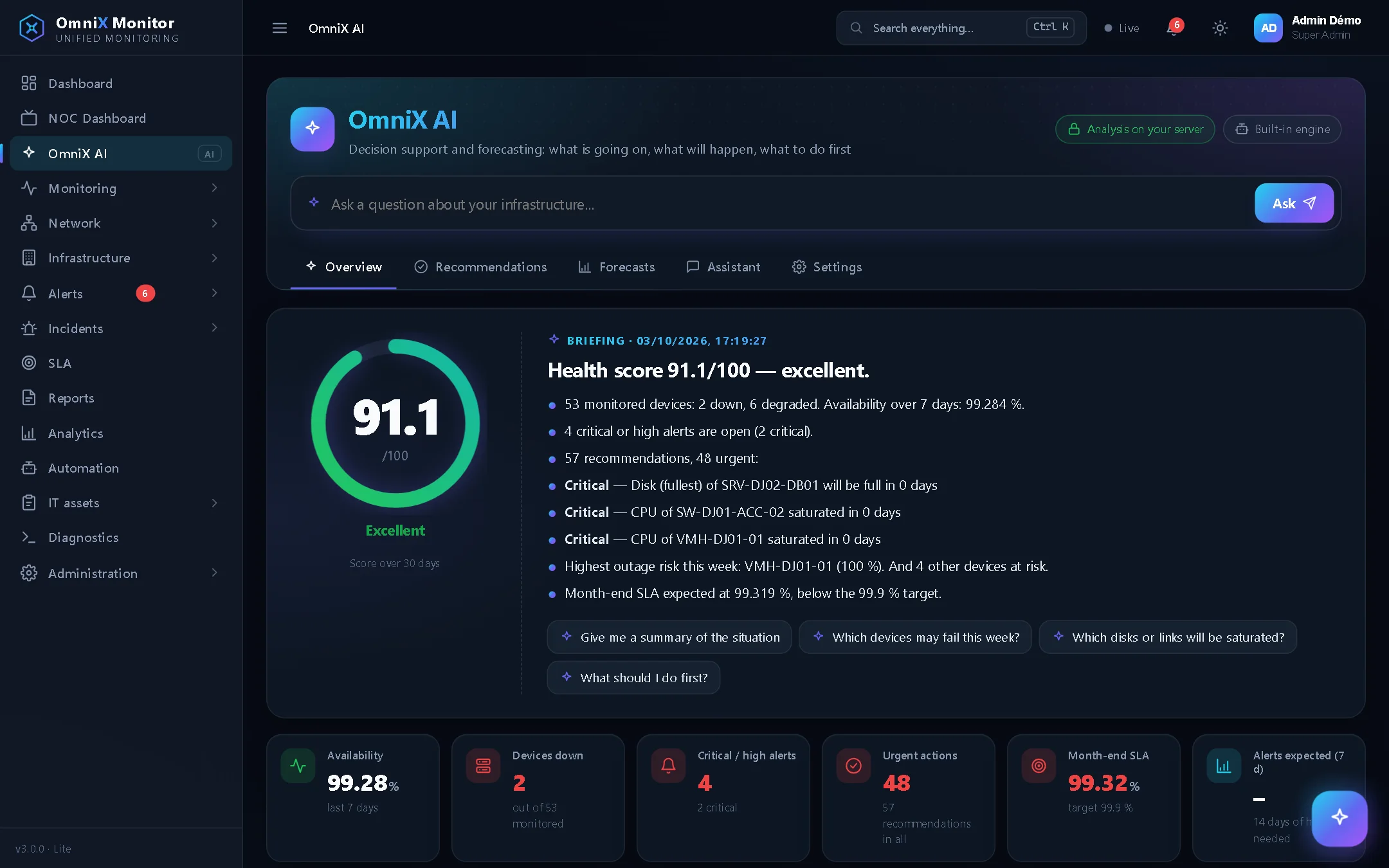
OmniX AI analyses the history of your devices so you can anticipate instead of react:
Calculations run on your server. If you choose to enable it, the assistant can also use a language model: Claude, OpenAI, or Ollama installed on your premises.
Features
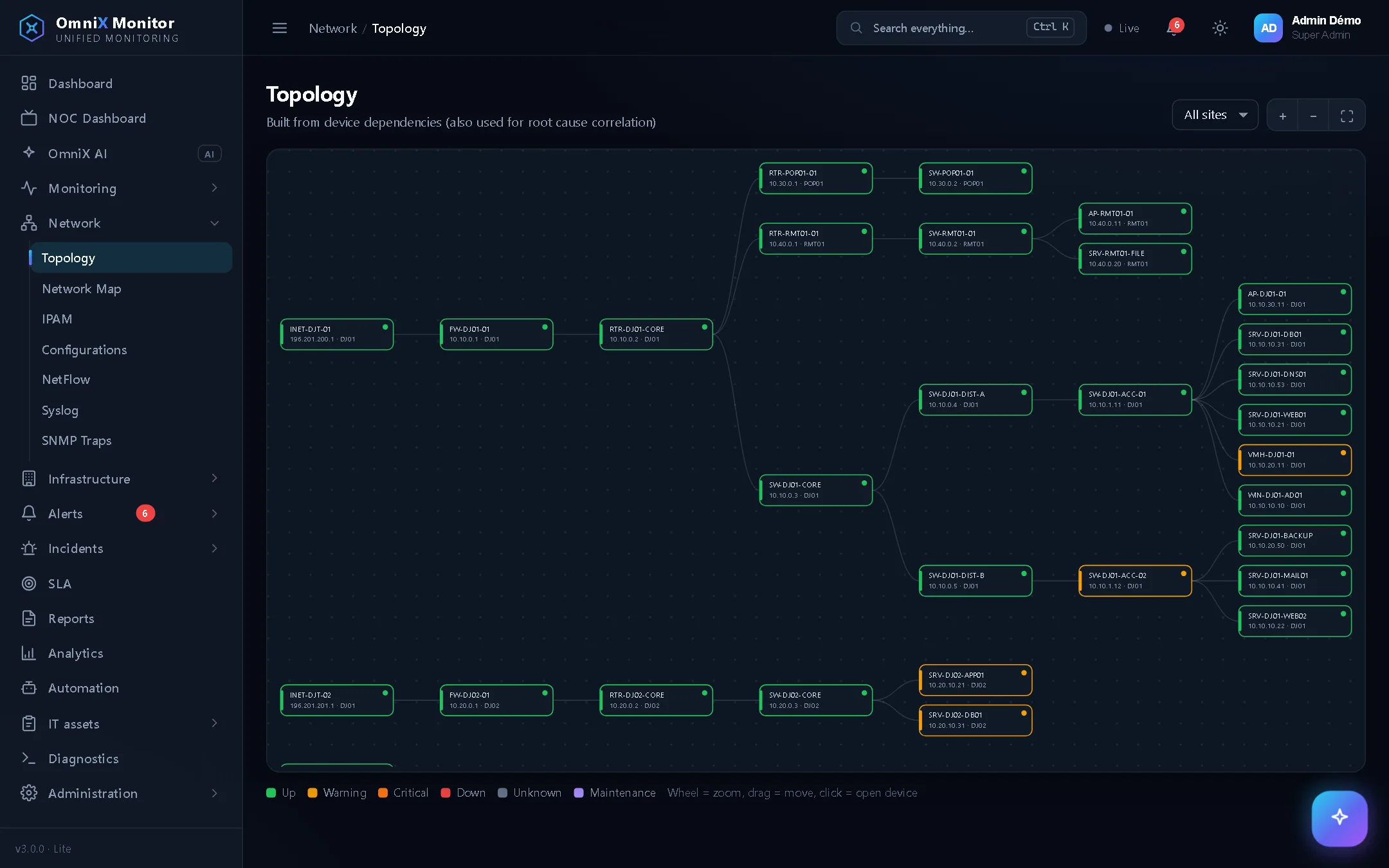
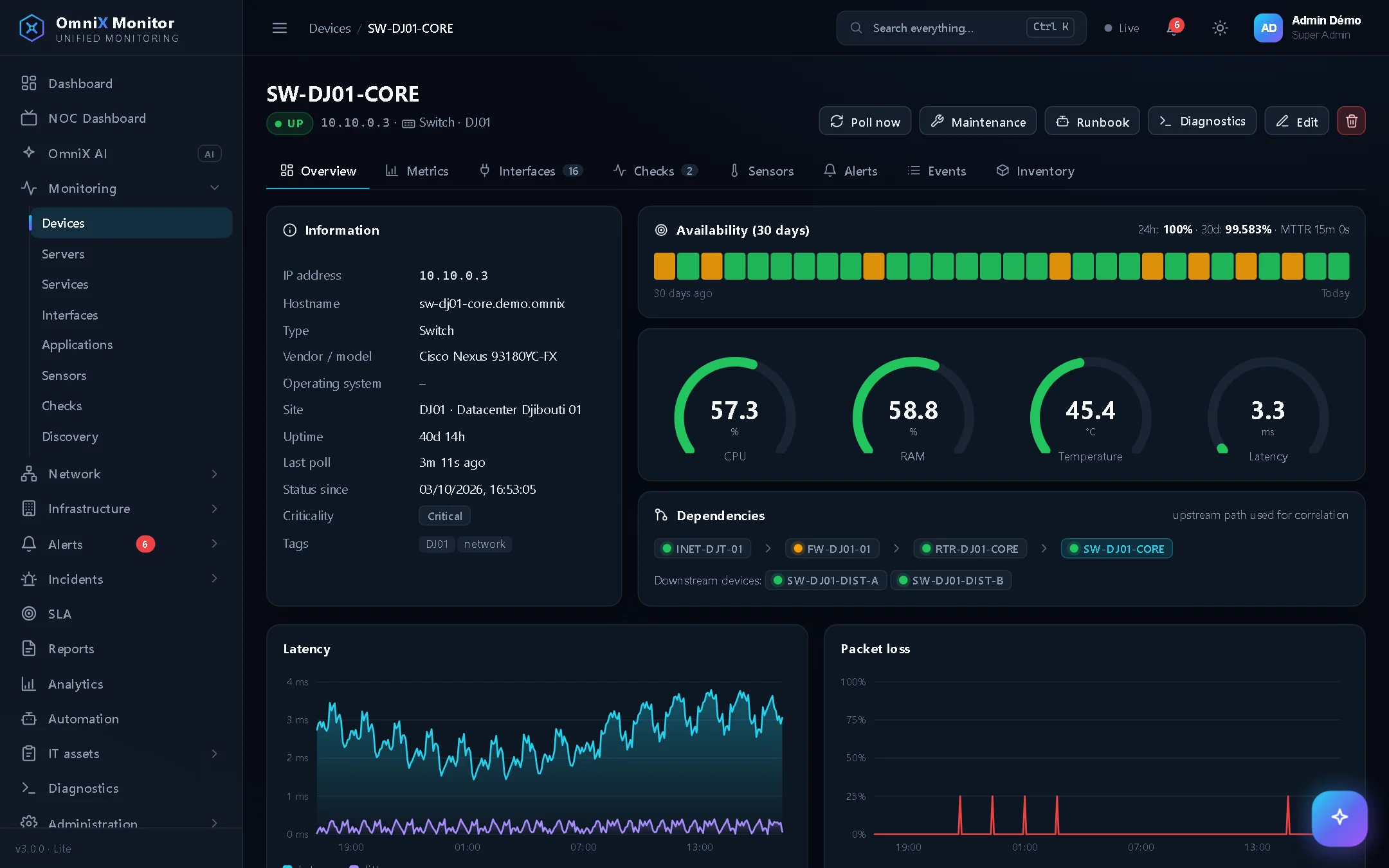
Routers, switches, firewalls, Wi-Fi: availability, latency, interfaces, traffic, NetFlow, sFlow, IPFIX, configuration backups and network map.
Linux, Windows, macOS, virtualisation: CPU, memory, disks, services. Websites, APIs, DNS and TLS certificates, with an alert before they expire.
Racks, power, UPS, PDU, cooling and sensors: the physical layer monitored like the logical one.
From alerts to incidents, with acknowledgement, comments and scheduled maintenance. SLA and reports by service and by site.
Inventory of all equipment by division and team. Every device is placed on your office plan, with its live status.
Windows, Linux, macOS and Android agents. Distributed probes for remote sites. 25 built-in diagnostic tools.
Runbooks triggered by alerts: SSH command to restart a service, API call, incident creation, maintenance mode, notification.
Several sites, subsidiaries or customers in one platform, strictly separated. Interface in French, English and Arabic.
Sovereignty and security
OmniX Monitor is installed on your server, inside your network. It needs no outside service to run.
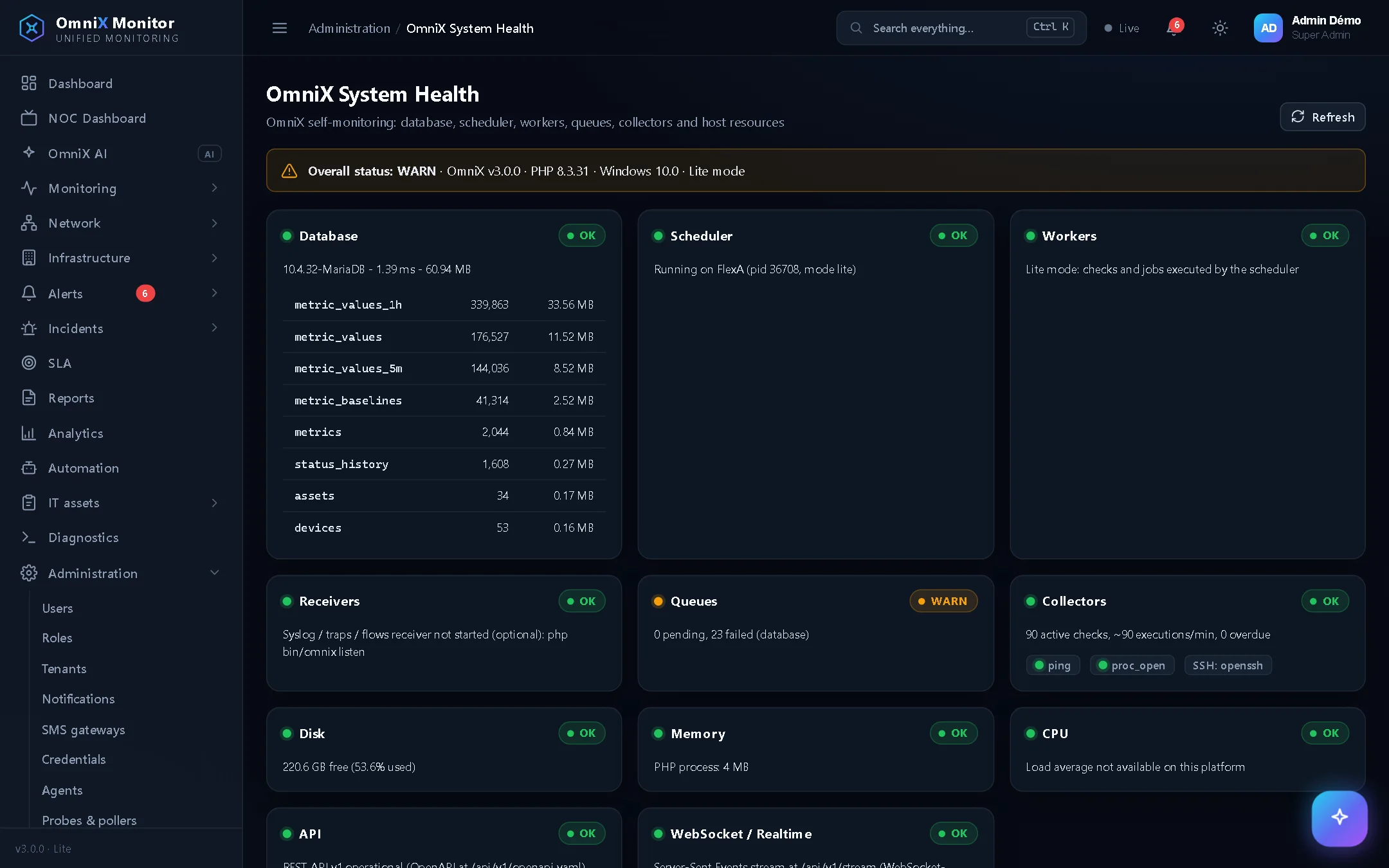
Deployment
No external dependency, nothing extra to buy. OmniX also works on a network completely isolated from the Internet.
Live demo
Explore OmniX Monitor with an administrator account on a demonstration infrastructure: data centers, network, servers, assets, floor plans, alerts, SLA, OmniX AI. Nothing to install.
demo@omnix.demoDemo-OmniX-2026Frequently asked questions
No. OmniX Monitor is installed in your network and monitors your devices without any outside service. With the Android gateway, SMS alerts go over the mobile network: they are sent even if your Internet access is down. Only a few optional features use the Internet, such as online messaging services or online SMS providers.
With the Android gateway, it costs what your mobile plan costs: a smartphone and a SIM card are enough, with no aggregator contract. You can also use an SMS provider (Twilio, Orange, Africa's Talking, Infobip, Vonage) if you already have one.
OmniX uses standard protocols: ping, SNMP v1/v2c/v3, SSH, HTTP/HTTPS, DNS, syslog, SNMP traps, NetFlow, sFlow and IPFIX. It therefore works with most brands (Cisco, Fortinet, MikroTik, Huawei, Juniper, HPE, Dell, APC, Eaton…). Agents are available for Windows, Linux, macOS and Android.
Only on your server. OmniX sends nothing to the vendor: no telemetry, no online licence check. Passwords and access keys are encrypted.
OmniX imports your devices, checks and contacts from Nagios, Icinga, Centreon, Zabbix, LibreNMS or a CSV file. You can run both tools side by side during the transition.
To start, a small Linux or Windows server (1 vCPU, 1 to 2 GB of memory, 20 GB of disk) is enough. For a large estate or several sites, plan more resources and distributed probes. We help you size it.
Pricing depends on the size of your estate and the support you need (installation, training, support). Contact us for a tailored proposal.
Contact
In 30 minutes, we show you OmniX Monitor on a case close to yours and answer your technical, security and budget questions.